
By Michał Puchała · 2026-11-24 · 6 min read
Could a small European AI model handle your maintenance manuals?
OVHcloud's Olala can run on a factory's own computer. For a maintenance team, the useful test is whether it finds the right page for the machine on the floor. Compare it with ordinary search using real shift questions, two manual revisions and the languages your technicians speak.
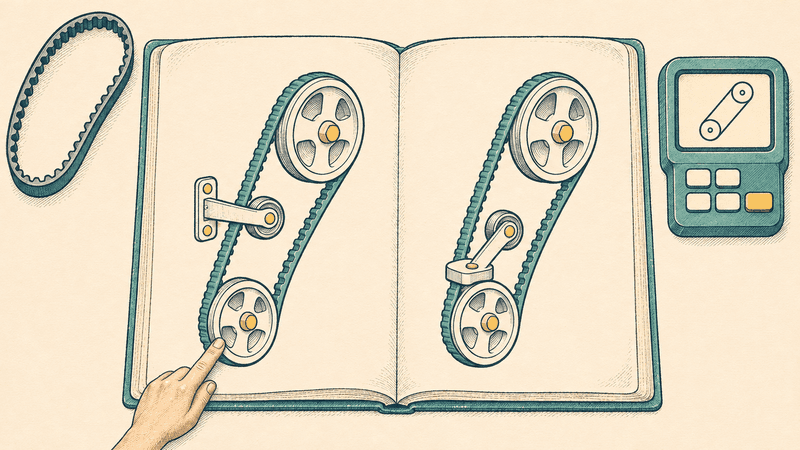
Two packing machines stand side by side. The parts catalogue for one lists a different drive belt from the catalogue for the other. A technician on the late shift knows the machine as "the old packer". What would you want a search tool to do when they ask for the belt reference? A request for the serial number could save them a second trip to the stores.
On 19 November, OVHcloud released Olala 1.0 mini, a small language model trained on European supercomputers. The company makes the model files available to download and describes how to run it on a computer without a dedicated graphics card. That gives a manufacturer a way to try questions like this on its own equipment, with its own manuals. OVHcloud's launch announcement and Olala's model card
We would use Olala to help a technician reach the correct page sooner. Here is how a maintenance manager and an IT lead can test that proposition together, including the cases where opening the manual directly is the better option.
Start with the questions people ask on shift
Pick one machine family for which the maintenance manager can identify the current manuals and explain where revisions differ. Ask colleagues on two shifts to write down recent questions in the words they actually used. A question copied from a chapter heading makes for an easy demonstration. "Where's the drawing for the old packer?" gives you a chance to find out what the team has to know before it can even start searching.
For a first trial, twenty questions are manageable. Include straightforward lookups, several questions that need a machine identifier, and a few that the available documents cannot answer. Have an experienced technician record the acceptable outcome for each one in advance. That might be a catalogue revision and page, a request for the serial number, or a referral to the person who holds the missing drawing.
Have two technicians try each question, one with Olala and the other with their usual indexed PDF, parts folder or laminated reference sheet. Switch their roles halfway through so each person uses both methods and sees each question only once. Stop the clock when they have checked the answer against the current source. If the laminated sheet wins on the ten questions people ask most often, keep it on the wall.
Give Olala the page it needs
Start by handing the model a short passage and asking it to point out the line that answers a question. Olala accepts text, so choose a page with a readable parts list for this first check. Its developers also flag slow processing of long passages on an ordinary processor. Feeding it a whole handbook would make it hard to tell whether the delay comes from the machine or from the way you asked the question. Olala's documented uses and limitations
Next, let your existing document search select a few passages for Olala. Keep the manual title, revision, page and applicable serial range attached to each passage. Ask the model to return the reference alongside the short answer, and make the reference open the original page. Have the technician read that page as part of the timed exercise.
Suppose the system gives the belt reference for the neighbouring machine. Look first at which passages Olala received. If search supplied only the neighbour's catalogue, fix how the documents are labelled or selected. If Olala received both serial ranges and still picked one without asking, the question remains a failure even if the part number it quoted exists.
Give drawings their own test. Ask for an item identified only by an arrow in an exploded diagram. A useful result from a text-only model would be a link to the correct drawing, with enough information for the technician to check the arrow. Keep the approved manual and the site's existing procedures authoritative for repair and safety decisions.
Ask in the languages people actually use
Imagine that the supplier's manual is in English while the late shift works in Polish and calls the drive belt a pasek. Try the actual question, including the shop-floor nickname, then ask a colleague on the German-speaking shift how they would phrase it. Keep the machine and the expected catalogue page the same. This lets you see whether changing the question's language changes the evidence the technician receives.
Ask a speaker of each language to check the response with the manual open. Can they recognise the supplier's original part name, match the identifier character for character and see which machine it fits? Record those outcomes by language. Even if a translation reads naturally, a missing suffix can send someone to the wrong shelf.
If the tool stumbles on the nickname, try adding the local term and its official equivalent to the document index. Run those questions again with search alone as well as with Olala. The plant may get most of the benefit from a small glossary that somebody on each shift can maintain. The developers themselves recommend evaluating Olala in the language of the intended application. Olala's model card
Follow one question through the factory network
Where the model learned its language and where it processes your manuals are separate decisions. OVHcloud offers a hosted version and publishes files for running Olala locally. For the local trial, have IT record the model version, the computer it ran on and the software used to run it. That gives a colleague enough information to repeat the trial when the next catalogue arrives. Olala deployment options
If plant policy requires documents to stay on site, follow one sample question from the search box to the open manual. Check where the PDF becomes searchable text, where the matching passages go and where the application saves the question afterwards. A scan sent to an online text-recognition service would already have left the factory before Olala saw a word. Use a document cleared for testing while IT verifies the route and who can read the resulting records.
Then invite two technicians to use the trial machine at the same time. Measure the wait until each can open a verified page, including the slower of the two answers. Let the maintenance manager judge that delay against the pace of a shift. If a hosted European deployment is also acceptable under company policy, you can repeat the same timed questions there before deciding who should run the service.
Decide what earns a place on the next shift
For each question, record whether the technician reached the right page, how long verification took and what happened when the evidence was missing. Keep a confidently wrong part number visible as a separate result. An average time saving can hide exactly the failure the parts desk cares about. Agree before the trial which errors would stop a wider rollout, including presenting an obsolete reference as current.
Reserve a few fresh questions for a colleague who did not help set up the trial. Give them a routine update to handle as well. Replace a catalogue with its next approved revision, remove the superseded copy from search and ask about the changed entry. Record who made the update and weigh that time against the minutes technicians might save.
The result can be quite modest. Perhaps Olala helps the late shift find English parts pages from questions asked in Polish, while the drawing index remains quicker for assembly diagrams. That would justify a limited trial on that shift, with a named owner for the manuals. If ordinary search plus the glossary performs just as well, the team has still answered the original question and improved the tool it already knows.
Thinking about migration? Book a free consultation to discuss your situation.